openTARS
You ask. It works in the open, one step at a time, and you can stop it whenever you want.

Your AI, on your computer.

Ask in plain words. openTARS opens programs, clicks buttons, types and runs commands, right on your machine. Free and open source.

irm https://raw.githubusercontent.com/MastLLM/OpenTARS/main/app/empacotamento/windows/instalar.ps1 | iex

Paste it in PowerShell, or download the installer. No administrator password.

21/21 Gargantua 2.5 picked the right tool for every request in our tool test.

The new main AI is built on Gemma 4. It sees your screen, hears your voice and runs on your own computer, with or without a graphics card.

It handled 75 of 76 text actions and 47 of 48 everyday tasks in our tests, in about 1 second per tool on a graphics card.

Our own tests, run through the openTARS app on a 16-thread desktop with an RTX 3050, November 13, 2026. Run them on yours: opentars --prova

Before anything risky, it asks.

Every command is checked against a fixed list of dangerous patterns. These are plain rules, not AI, so nothing can talk them out of it. Nothing runs until you click Allow.

  • rm -r
  • dd
  • mkfs
  • curl | sh
  • git reset --hard
  • shutdown

Turn off your Wi-Fi.

Go on, try it.

  • Talking to it
  • Opening programs
  • Working on your files
  • Reading your screen
  • Rewriting selected text
  • Editing photos
  • Voice

Local by default. Cloud models are optional and use your own account or key. See everything that can leave your computer.

It works across your whole system.

  1. Where do I click to export this as a PDF?

    It looks at your screen and tells you.

  2. Crop it square and make it brighter.

    Edit a photo with a sentence, always on a copy.

  3. The 2024 rental agreement.

    Find a file by what's inside it, not only by its name.

  4. Every Friday at 5 pm, remind me to send the report.

    Set up reminders and routines in one sentence.

  5. Tell me when a new PDF shows up in Downloads.

    Probes watch in the background and let you know.

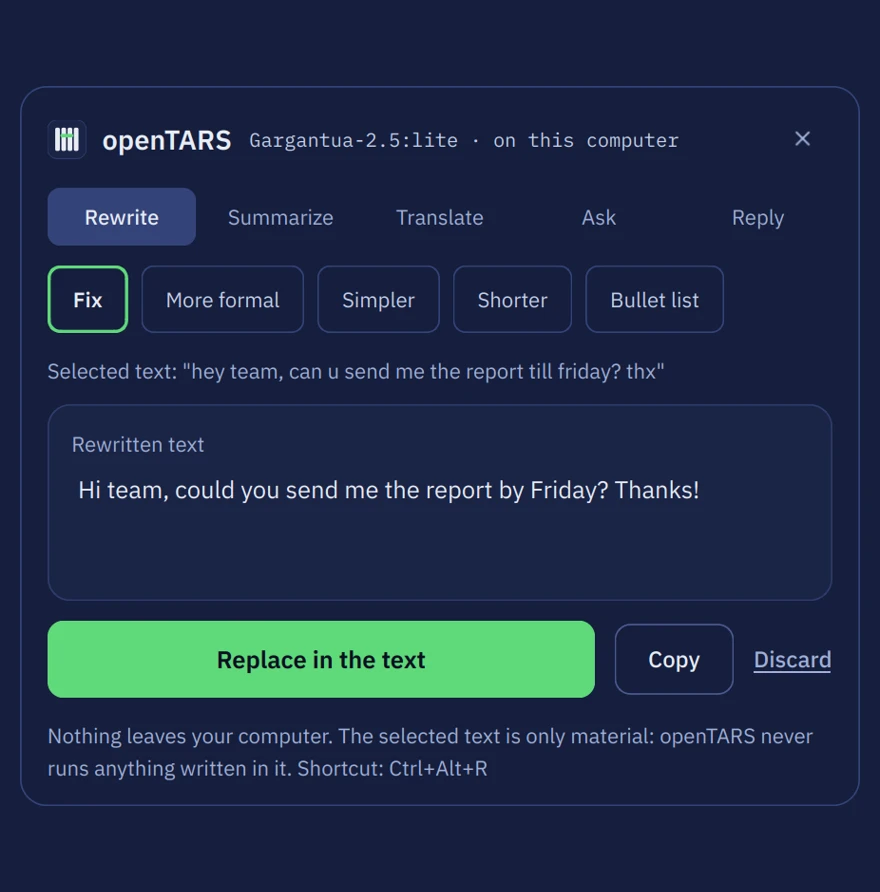
The text actions panel fixing a sentence selected in another app.
Select text in any app and press Ctrl Alt R.
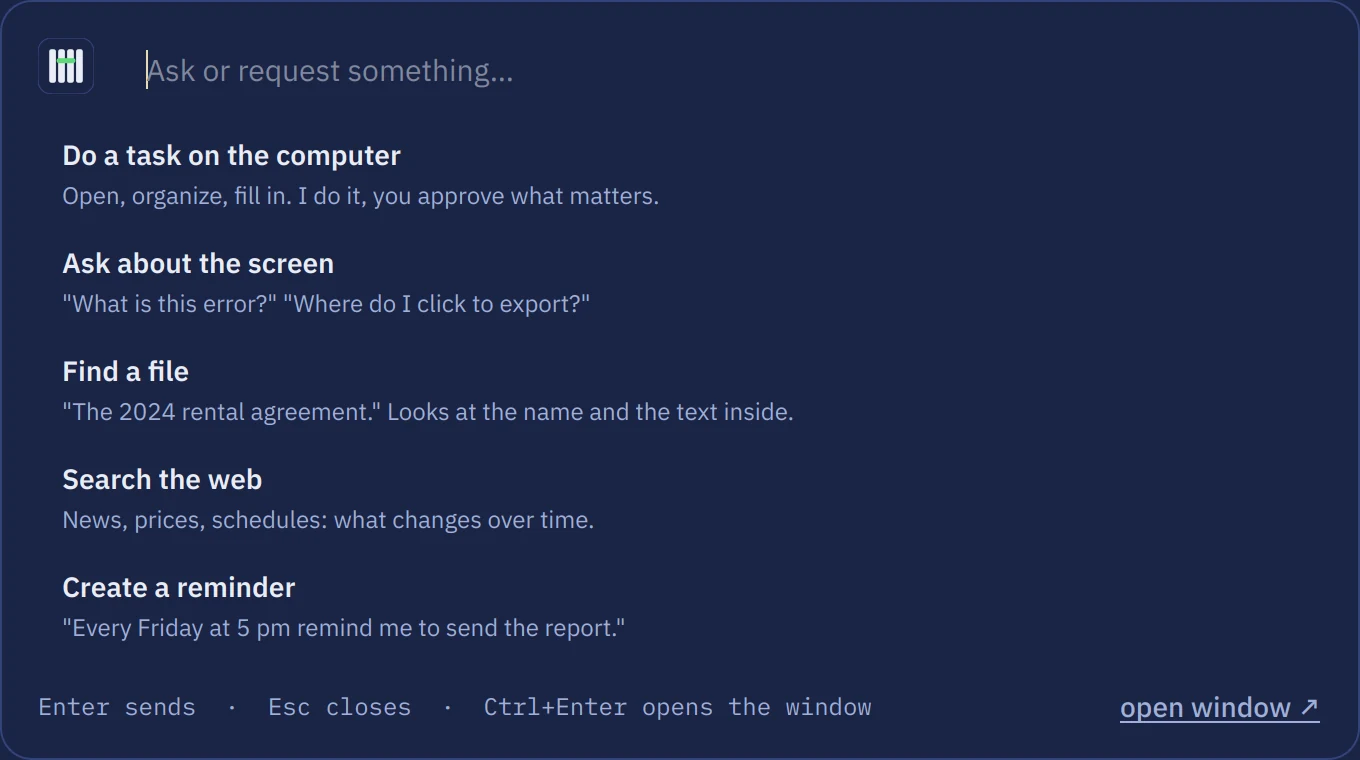
The quick bar offering to do a task, ask about the screen, find a file, search the web or create a reminder.
Ask from anywhere with Ctrl Alt Space.

A new generation of AIs.

openTARS 5.3 runs on Gemma 4, Google's open model family that takes in images and audio. Three sizes, one for each kind of computer, all trained by us for the openTARS tools.

Built on Gemma 4

  • In the app

    Gargantua Lite Gen 3

    Small, quick, made to run anywhere.

    Gemma 4 E2B · 3.4 GB

    Sees images. 75 of 76 text actions in our test: rewrite, summarize, translate, and ignore instructions hidden in the text.

    See it on Hugging Face

  • The new main AI

    Gargantua 2.5

    Thinks, uses the tools, sees and hears.

    Gemma 4 E4B · 5.3 GB

    The right tool in 21 of 21 requests and 75 of 76 text actions. Talk to it: it understands your voice directly.

    See it on Hugging Face

  • In the app

    Gargantua Pro Gen 1

    Our largest model.

    Gemma 4 12B · 7.4 GB

    Runs missions on its own inside a disposable virtual machine: it looks at the screen, clicks and types, and you approve what comes out.

    See it on Hugging Face

And two more, for other jobs

  • Available now

    Gargantua Pi Gen 1

    For small boards.

    FunctionGemma 270M · 300 MB

    Runs in openTARS Pi on a Raspberry Pi or an Orange Pi with 1 GB of RAM. No cloud, no GPU, no account.

    Get it on Hugging Face

  • In the app

    Gargantua Code Gen 2

    Writes, fixes and runs code.

    Qwen2.5-Coder 7B · 4.7 GB

    51 of 60 coding tasks in our own test, from reading a script to fixing it and running it.

    Get it on Hugging Face

openTARS picks the right size for your computer. Everything runs on your computer by default.

Trained for this job, sized for your machine.

  • Murph4 MB

    Reads each request in about 0.2 ms and picks who answers.

  • Gargantua Lite Gen 33.4 GB

    Quick, and runs on a plain processor.

  • Gargantua Code Gen 24.7 GB

    Optional. Writes, fixes and runs code.

  • Gargantua 2.55.3 GB

    The main AI. It thinks, uses the tools, sees and hears.

  • Gargantua Pro Gen 17.4 GB

    Optional. Runs missions in a virtual machine.

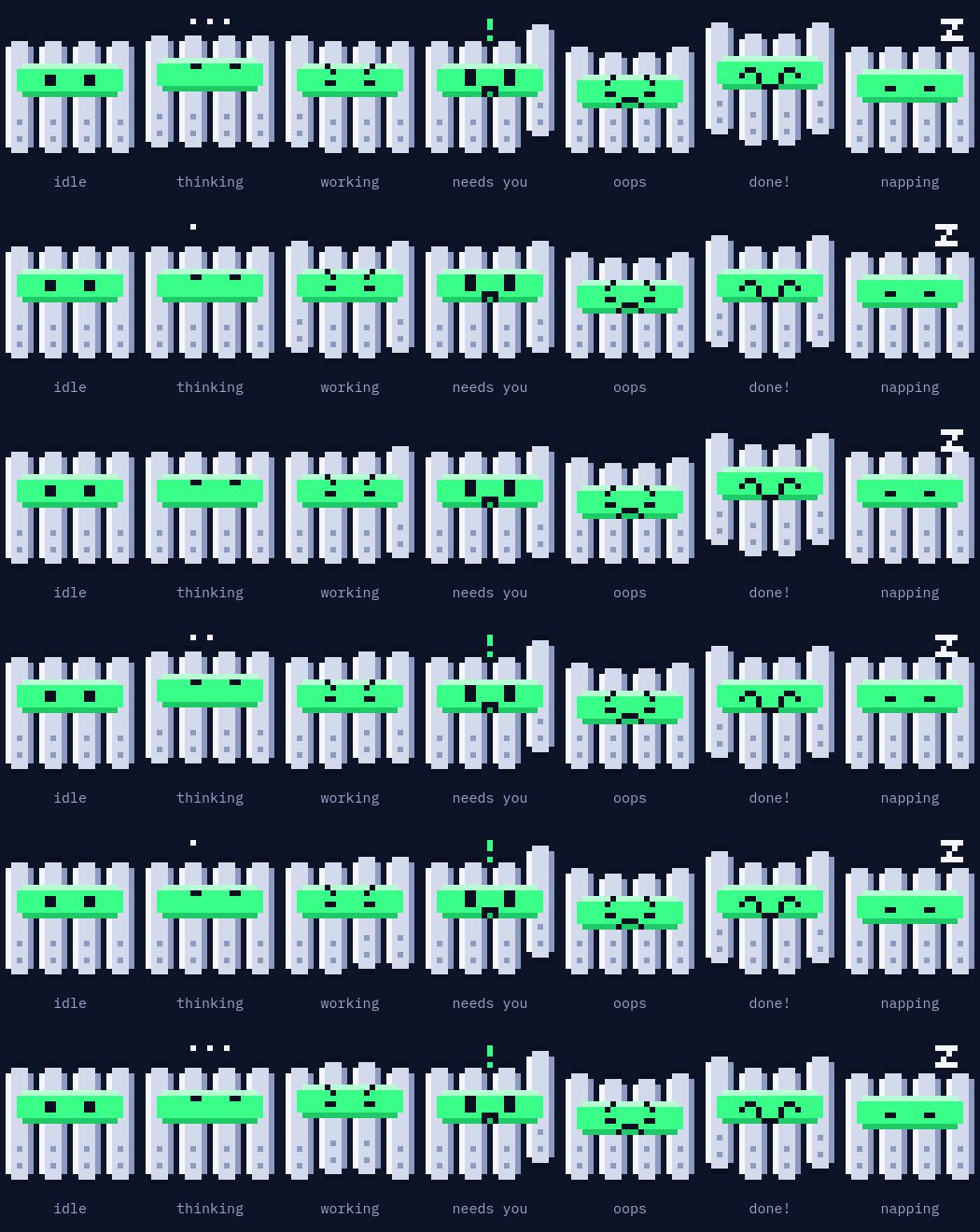
And KIPP, who walks along the chat and shows what the AI is doing.

New: openTARS Pi 1.1.

Your Raspberry Pi or Orange Pi, in plain words. It finds the file you mean, does tasks with several steps, drives the pins and answers in words. No cloud, no GPU, no account.

curl -fsSL https://github.com/MastLLM/OpenTARS-Pi/releases/latest/download/install.sh | bash

Then type opentars.

  • 1 GB of RAM is enough. Tested on an Orange Pi Zero 2W.
  • 30 of 40 everyday tasks it had never seen, up from 19 in 1.0.
  • 0.6 s for board status, files, memory and pins.
  • Your yes first. Only commands that just read run on their own.

See openTARS Pi on GitHub

New in 5.3 Tesseract

  • Rebuilt on llama.cpp. One fast engine for every model, installed for you. No separate AI program to set up.
  • Gargantua 2.5 on Gemma 4. The new main AI sees your screen and hears your voice.
  • Voice, understood directly. What you say goes straight to Gargantua 2.5, in English or Portuguese.
  • Missions in a virtual machine. On Linux, Gargantua Pro works inside a disposable computer. You watch it live and choose which files come back.
  • Native apps for Windows and macOS. Python, Qt and the llama.cpp engine come inside. One install, nothing else to download but the model.
  • A model store on Hugging Face. Hand-picked models from Qwen, Gemma, Mistral and more, or search thousands of GGUF models. Every file is checked by SHA-256 before it runs.
  • Fits your graphics card. The engine sizes each model to your GPU memory and falls back to the processor on its own.
  • A terminal that looks the part. A framed prompt, a status bar with the model, the engine and your folder, and formatted answers.
  • One-click updates everywhere. Windows, macOS and every Linux update from inside the app.
  • Clicks in Chromium and Electron apps. With your permission, openTARS reopens them with accessibility on, so it can click their buttons by name.
  • A smarter assistant. Calendar, notes, e-mail, music and system settings by sentence, all off until you turn them on.

Install it in a minute.

The installer sets up everything, downloads the models and tests them. Updating keeps your chats and settings.

Windows 10 or 11

irm https://raw.githubusercontent.com/MastLLM/OpenTARS/main/app/empacotamento/windows/instalar.ps1 | iex

In PowerShell, or download opentars-setup.exe. Everything goes into your user folder.

macOS 12 or newer

curl -fsSL https://raw.githubusercontent.com/MastLLM/OpenTARS/main/app/empacotamento/macos/instalar.sh | bash

In Terminal, or get the .dmg for Apple Silicon or Intel. The first run asks for Accessibility and Screen Recording.

Ubuntu, Debian, Mint, Zorin, Pop!_OS

wget -O /tmp/opentars.deb https://github.com/MastLLM/OpenTARS/releases/latest/download/opentars_all.deb && sudo apt install -y --reinstall /tmp/opentars.deb

Download opentars_all.deb

Version
5.3 Tesseract
Size
1.4 MB
Updated
November 22, 2026
SHA-256
cfc9d47a4b9c2ac217ff8ea6e887df303a5f4e76aabfb49504887756021f8a1a

Fedora, Arch, openSUSE

curl -fsSL https://raw.githubusercontent.com/MastLLM/OpenTARS/main/app/empacotamento/linux/instalar.sh | bash

Only your package manager asks for your password.

What was tested

Ubuntu, Debian, Linux Mint, Zorin OS and Pop!_OS, on X11 and Wayland, with NVIDIA, AMD or the processor alone. Every change runs our automated tests on Linux, Windows and macOS, including the llama.cpp engine downloading and running a model. We have used openTARS on real Windows and Fedora computers. No real Mac has run it yet, so tell us what breaks.

Remove it, or go back to 5.2

To remove openTARS on any system, run opentars --desinstalar.

If 5.3 does not run on your computer, 5.2 Ranger is still available. It uses Ollama as its engine.